




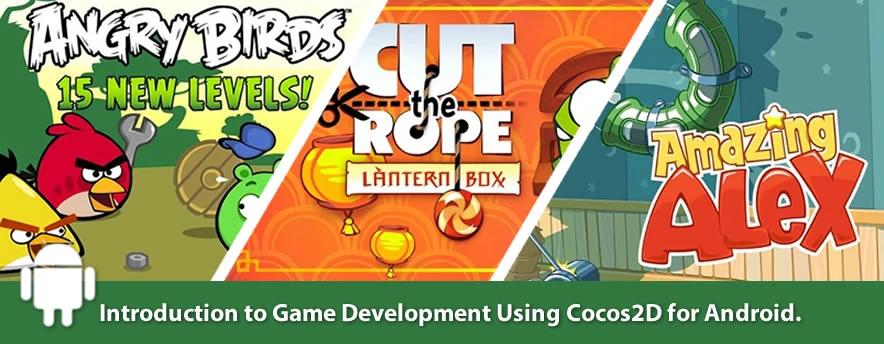
… This post is meant to introduce you to game engines and developing 2D games on Android using the Cocos2D Game Engine.
Why you should use game engines ..
Gaming engines are software frameworks which provide/simplify repeated used features in games such as transitions, animations, sound, physics, flow control, text rendering, surface rendering etc. When we set out to create games, we want to focus more on the game logic, game experience and storyline … rather than dwelling on how to animate the tile across the screen. Examples of gaming engines include Adventure Game Studio (C++), Agate lib (.NET), Allegro (C), Cocos2D (Python) etc.
Cocos2d is an open source framework for building 2D games, demos, and other graphical/interactive applications. Originally developed using python, some of its main features(also supported by many other game engines) include :
Flow control : Manage the flow control between different scenes in an easy way
Sprites : Fast and easy sprites
Actions : Just tell sprites what you want them to do. Composable actions like move, rotate, scale and much more
Effects : Effects like waves, twirl, lens and much more
Other features include Tiled Maps, Transitions, Menus ,Text Rendering , OpenGL based and aBuilt-in Python Interpreter
Why Cocos2D for Mobile Game Development.
There are are definitely other options out there but some of the features I appreciate about Cocos2D is the crossplatform ports available, ease of use (I was able to get familiar with it and modify the libraries in a couple weeks), and its demonstrated power/quality. Regarding power, there are a list of popular mobile games developed with cocos2D. A quick example is Zombie Mash shown the video below .
Due to its success and easy of use, several versions (ports) of Cocos2D on different platforms have emerged over the years. A very famous port – Cocos2d-iphone written in objective C (targeting the iOS and MAC platforms) has been used in authoring a wide range of top ranking games sold on the Apple Appstore. Other ports include Cocos2D Android written in Java for the Android platform , and Cocos2D Javascript that uses the HTML5 canvas API. Each of these ports maintain the original Cocos2D design concepts and structure.
Cocos 2D for android is a port of the Cocos2D-iphone essentially written in Java. The porting process is supported by a small/young open source community (November 2010) and aims to port latest cocos2d-iphone code, to the android platform. Main features currently achieved include : Flow control, Sprites, Maps, Transitions, Menus, Text Rendering, BSD License, OpenGL Based: Hardware Acceleration. An updated version of the project is managed by ZhouWeikuan and can be downloaded from the project’s download link on Github .
It is assumed you are familiar with setting up the Eclipse Integrated Developer Environment (IDE) for Android and running a simple hello world android app. If you aren’t, Google has an excellent tutorial on that . Please review it, run your first Android app before you proceed. If you’ve done that .. on to the next step - setting up your first Cocos2D for android project .
Checklist
Check list
- Download Cocos2D-android library from Github
- Download Eclipse IDE for Java Developers
- Download the Android SDK , and Install the Android Developer Tools (ADT Plugin) by following this tutorial by Google
- Setup an Android Virtual Device (AVD) Simulator for testing .
In Eclipse, choose Window > Android SDK and AVD Manager. Select Virtual Devices in the left panel.Click New.The Create New AVD dialog appears.Type the name of the AVD, such as “my_avd”.Choose a target. The target is the platform (that is, the version of the Android SDK, such as 2.1) you want to run on the emulator. It is recommended to use Android 2.1 and above for Cocos2d development.
Detailed information on testing android applications using an actual android device such as an android tablet pc or mobile phone can be found here .
Before We Start
If you are the studious / meticulous type, I recommend you spend some time experiencing the Cocos2D project starting with the python version for desktops . I started this way and thats how I learned the basics of sprites, animation, particle/smoke effects etc and by going through the rigorous tutorials contained on the Cocos2D project page.
All clear ? On to the next step - setting up your first Cocos2D for android project .
 How to Slide a Sprite around based on touch/drag input in Cocos2D for Android
 Handling Sound in Cocos2D for Android
 Step by Step Guide on How to build your first Slider Puzzle game in Cocos2d for Android – Part 3
 Step by Step Guide on How to build your first Slider Puzzle game in Cocos2d for Android – Part 2

Hi, this is a comment.
To delete a comment, just log in and view the post's comments. There you will have the option to edit or delete them.
Pingback: Setting Up Cocos2d for Blackberry 10 Development | Denvycom
Pingback: Summary of Blackberry Jam Asia Pre-Conference Training – Gaming Destination | Denvycom