




Note: Below post works very well as of August 2013 with version Cocos2d-x-2.1.4 . In subsequent releases, things might change, but this article should be a good starting point.
The Cocos2d project also supports blackberry 10 and here are a few steps in setting up your Cocos2D project in the BB10 Momentics IDE
- Ensure you have your blackberry Momentics IDE up and running for blackberry 10 app development. This includes getting code signing keys from Blackberry, downloading the IDE, installing your simulator or setting up your bb10 device for direct testing.
- Download the Cocos2dx project from http://www.cocos2d-x.org/ . This folder contains the cocos2d main libraries , sample code, and platform specific libraries for different platforms (web, desktop, iphone, android, blackberry).
The next task is to import the cocos2d libraries required for blackberry
development into the Momentics IDE and successfully build the first project. - A quick search of the Cocos2dx source directory reveals a list of proj.blackberry files which indicate blackberry related projects that could be imported. I found that importing the following proj.blackberry files into my workspace were sufficient to help me build the sample project included .
- - /cocos2d-x-2.1.4/cocos2dx/proj.blackberry
- - /cocos2d-x-2.1.4/CocosDenshion/proj.blackberry
- - /cocos2d-x-2.1.4/extensions/proj.blackberry
Note that the main reasons for importing the projects above it to make them
available as referenced projects to your libraries. This pretty much should
handle errors of missing files or paths etc. - /cocos2d-x-2.1.4/template/proj.blackberry
(This is the sample project which we will run and compile – BBTemplateProject)
- To import each of the above
File > Import > Existing Project into Workspace > Cocos2dx source directory above - At this point you should have the BBTemplateProject imported. Now try to build it..
- I ran into a couple of errors and I used simple fixes (not the best, but I got it to work finally).
Undefined call to functions WebPInitDecoderConfig and WePDecode in file cocos2dx/platform/CCImageCommonWebp.cpp . Solved it by commenting out the offending lines …// if (WebPInitDecoderConfig(&config) == 0) break; ... ... /*if (WebPDecode((uint8_t*)pData, nDataLen, &config) != VP8_STATUS_OK) { delete []m_pData; m_pData = NULL; break; }*/ - cocos2dx/platform/third_party/blackberry/include/libwebpdecode.h errors . Commented out the lines
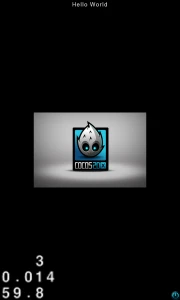
/*static WEBP_INLINE int WebPInitDecoderConfig(WebPDecoderConfig* config) { // return WebPInitDecoderConfigInternal(config, WEBP_DECODER_ABI_VERSION); }*/ //return WebPGetFeaturesInternal(data, data_size, features, WEBP_DECODER_ABI_VERSION); - Fixing the above errors enabled my BBTemplateProject build successfully, and this is what the result should look like.
- Hopefully, it has worked for you too and you can start building cocos2d games on bb10 or porting your existing apps. If you are still having issues, I have also read that updating to the latest BB10 SDK solves some issues.
Feel free to ask questions or share your experience in the comments below. Good luck!!
Some cocos2d coding tutorial for blackberry coming soon.




Pingback: Summary of Blackberry Jam Asia Pre-Conference Training – Gaming Destination | Denvycom()