
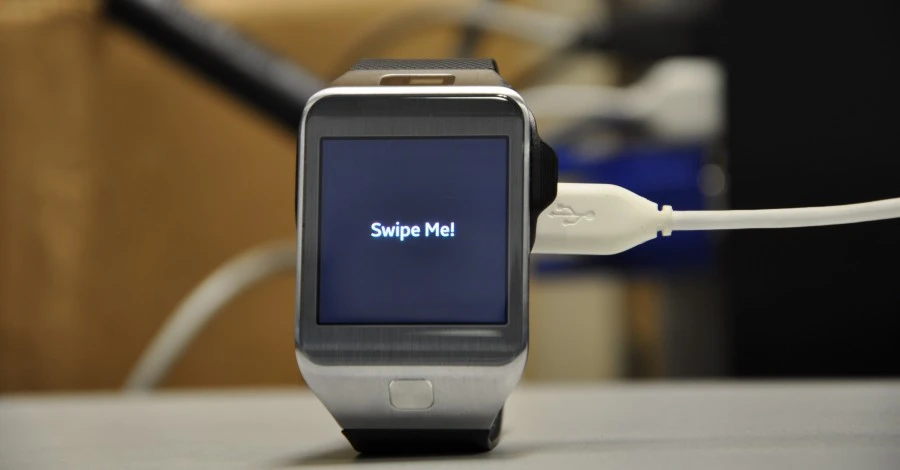
Developing apps for wearable computing devices (e.g google glass, samsung galaxy gear, etc) can be a significant challenge – especially because developers DO NOT have a trusted/tested set of interaction gestures due to varying/emerging form factors. Naturally, the small size of wearable computers also means interaction gestures (e.g button presses, swipes etc) applicable to devices such as smartphones and tablets, do not apply. Many developers have to come up with new ideas and test them with customers.
For the purposes of this tutorial, we will be looking at user interactions for the Gear 2 line of devices and how to easily implement them. By default the Gear 2 device comes with one main swipe gesture – the swipe down from the top bezel which acts as a back button. Since gear 2 apps are written in javascript , we will be discussing code that enable developers catch gestures like double tap, swipe up, swipe down (but not from top bezel), swipe left and right. These come in handy as you can use them as “buttons” for menus or controls for a game.
See Also : How to get Sensor Data from Gear 2 Device.
Start a New Project in the Tizen For Wearable SDK
File > Tizen Wearable Web Project > Template > Basic > jQuery Template .
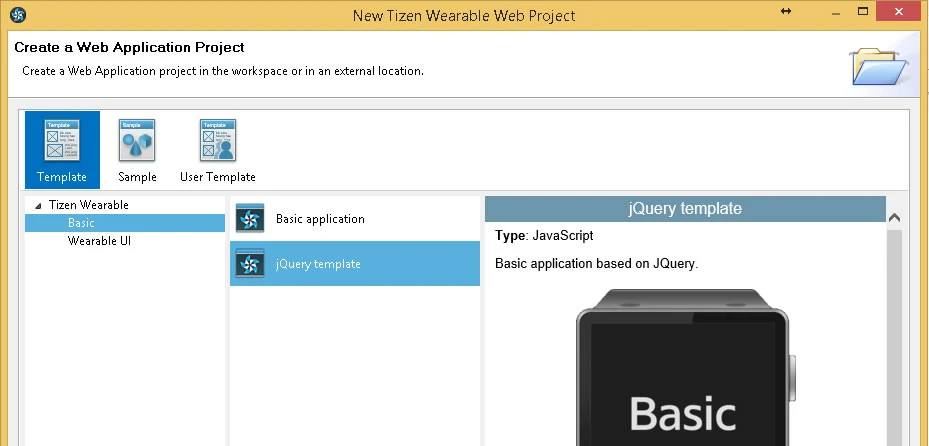
Name the project GearSwipeTutorial. It should have two folders (css and js) . In the js folder it already has included the jquery library (jquery-1.9.1.js) and a main.js file . The commented content of main.js is given below
$(window).load(function(){

	//This listens for the back button press
	document.addEventListener('tizenhwkey', function(e) {
        if(e.keyName == "back")
            tizen.application.getCurrentApplication().exit();
    });

	//This adds some click behaviour to the element titled textbox.
	$('.contents').on("click", function(){
		$('#textbox').html($('#textbox').html() == "Basic" ? "Sample" : "Basic");
	});
});
The project also contains a file named index.html which is the default html file that is shown when the app runs.
See Also : How to Store Data in your Gear 2 Apps
Download Some Requisite JavaScript Libraries
We will need the jquery mobile library which enables you detect the swipe left and right gestures and a library that enables up and down swipe detection.
Jquery Mobile
JQuery SwipeUpDown by Donnovan Lewis
To detect the double tap gestrure, create a new javascript file in your js folder and name it doubletap.js . Put the following in doubletap.js
(function($) {
     $.fn.doubleTap = function(doubleTapCallback) {
         return this.each(function(){
			var elm = this;
			var lastTap = 0;
			$(elm).bind('vmousedown', function (e) {
                                var now = (new Date()).valueOf();
				var diff = (now - lastTap);
                                lastTap = now ;
                                if (diff < 350) {  // increase this to improve responsiveness
		                    if($.isFunction( doubleTapCallback ))
		                    {
		                       doubleTapCallback.call(elm);
		                    }
                                }
			});
         });
    }
})(jQuery);
An important note about doubletap. What is done here is that we check the amount of milliseconds between two successive taps .. if its more than 0.35 of a second (350 milliseconds) , we count it as a double tap. You may increase this number to about 0.6 of a second till you are satisfied with the responsiveness on a real gear device. Also its not very easy to doubletap very fast using a finger so I think 0.6 of a second probably is a fairer amount of time for a user to execute a double tap!
Nex, include these js files we have downloaded and created in the index.html file . In the head section, add the following :
<script type="text/javascript" src="js/jquery-1.9.1.js"></script>
    <script type="text/javascript" src="js/jquery.mobile.min.js"></script>
    <script type="text/javascript" src="js/jquerymobile-swipeupdown.js"></script>
 <script type="text/javascript" src="js/doubletap.js"></script>
    <script type="text/javascript" src="js/main.js"></script>
One more thing .. you can edit the default css file in the project (style.css), particularly modify the content_text font-size to 2em from 5em, so our text can display better on the screen.
.content_text {
	font-weight:bold;
	font-size:2em;
	color:#fff;
}
Writing Some Code to Detect Swipe Gestures
We will edit main.js to detect gestures . What we do is listen for swipe gestures on the main screen div element, and update the text on the screen. Easy stuff!
Replace the content of main.js add the following.
$(window).load(function(){

	//This listens for the back button press
	document.addEventListener('tizenhwkey', function(e) {
        if(e.keyName == "back")
            tizen.application.getCurrentApplication().exit();
    });

	//handle swipe right gesture
	$('.contents').on("swiperight", function(){
		$('#textbox').html("Right ->");
	});

	//handle swipe left gesture
	$('.contents').on("swipeleft", function(){
		$('#textbox').html("<- Left");
	});

	//handle swipe up gesture
	$('.contents').on("swipeup", function(){
		$('#textbox').html("Up");
	});

	//handle swipe down gesture
	$('.contents').on("swipedown", function(){
		$('#textbox').html("Down");
	});

        //handle double tap
	$('.contents').doubleTap(function (){
		$('#textbox').html("Double Tap");
	});
});
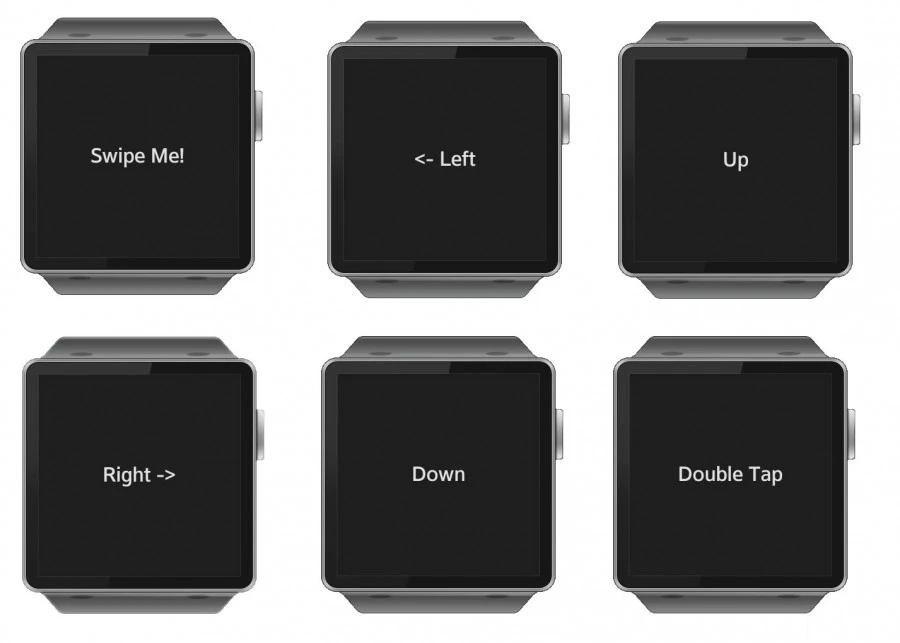
And The Results ..
When each swipe gesture is performed …
Gimme that Code ..
The code is freely available on Github …
Feel free to share how you have used them in your apps!