

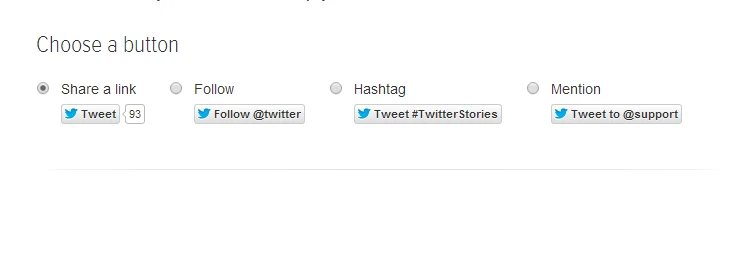
To add a , you obtain a which consists of two parts – a html link tag and some javascript reference to the twitter widget. You usually set your tweet button parameters such as twitter handle to follow, url to include, tweet content etc and the code which you include in your page is automatically generated.
<a class="twitter-share-button" id="twitterlink" href="https://twitter.com/share" data-size="large" data-via="denvycom">Tweet</a>
<script type="text/javascript">// <![CDATA[
!function(d,s,id){var js,fjs=d.getElementsByTagName(s)[0],p=/^http:/.test(d.location)?'http':'https';if(!d.getElementById(id)){js=d.createElement(s);js.id=id;js.src=p+'://platform.twitter.com/widgets.js';fjs.parentNode.insertBefore(js,fjs);}}(document, 'script', 'twitter-wjs');
// ]]></script>
Some times, you may want to create a tweet button with customized or more importantly dynamically generated tweet content. For example a web based game may need to include the score earned by the player in the tweet.
A simple approach would be to write javascript code and modify the data-text attribute of the twitter button just before it gets clicked. E.g ..
document.getElementById('twitterlink').setAttribute("data-text" , "I just achieved a " + "bingoo" + " on #2048Lagos a game where you find transport methods in lagos and score high." );
Unfortunately, this will not work. This is because the twitter script evaluates tag attributes on page load (and probably modifies the tag itself too) . From my experience the getElementById method returns a null value even when the correct id is provided.
A Dynamic Tweet Button
The solution is to dynamically generate a NEW twitter button in javascript , add it to your DOM model and reload the twitter script . In essence, for tweet buttons with dynamic attributes, you only add the twitter javascript code and create the twitter button on the fly using javascript .
An example is shown below
var link = document.createElement('a');
link.setAttribute('href', 'https://twitter.com/share');
link.setAttribute('class', 'twitter-share-button');
link.setAttribute('style', 'margin-top:5px;');
link.setAttribute("data-text" , "I just achieved a score of " + score + " on #2048Lagos a game where you find transport methods in lagos and score high." );
link.setAttribute("data-via" ,"denvycom") ;
link.setAttribute("data-size" ,"large") ;
this.lowermessageContainer.appendChild(link) ;
twttr.widgets.load();  //very important
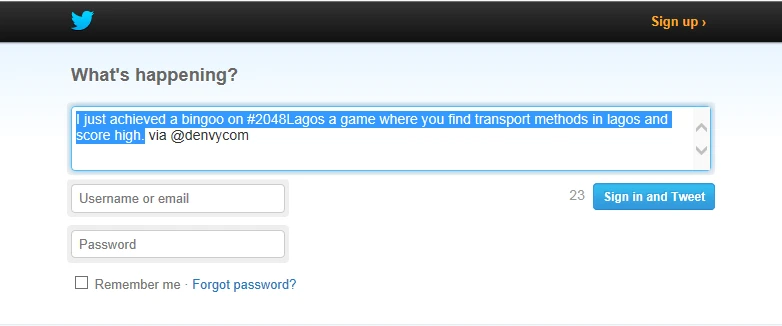
Note that after creating the twitter button (link) and setting all its attributes I do two important things. First I add it to the page DOM (this.lowermessageContainer.appendChild(link)) and I add call the twttr.widgets.load() method to re-evaluate the button.
Finally, if the button needs to be added on the page multiple times, remember to remove the previous button before adding the new updated version.
var elem = document.getElementById('twitterbox');
if (elem != null ){

elem.parentNode.removeChild(elem);
//document.getElementById("")
}
Finally, here is a JsFiddle Sample Code Snippet to demonstrate what we have learned above
Hope this is helpful.
 Step by Step Guide on How to build your first Slider Puzzle game in Cocos2d for Android – Part 3
 Windows Phone 8 – Debug and Fix ‘System. Reflection .Target Invocation Exception’ error
 Step by Step Guide on How to build your first Slider Puzzle game in Cocos2d for Android – Part 2
 Step by Step Guide on How to build your first Slider Puzzle game in Cocos2d for Android – Part 1